Author: beast

rtert
From The Blog

5 ways to cut expenses

No Comments

5 ways to cut expenses It is no secret that video production can be quite expensive. Creating a corporate video or a TV commercial is a lengthy process that takes a lot of time and resources. However, cutting down on certain aspects of the production can result in terrible video content, that will be a sore sight to your client’s eyes. For example, you don’t want to use the cheap, low-tech equipment because the quality of the image won’t be anywhere near what you had in your mind at the beginning. Regardless, there are ways in which video production expenses can be made more affordable while maintaining the same level of professional video quality. Create amazing concepts It all starts with an idea. There are different kinds of ideas and some of them are much more expensive than others. If your concept includes car chases, explosions or any other visual effects that take weeks to create, you are looking at a huge budget, that most of the video companies simply can’t afford. If you decide to use a simple but effective concept you are much more likely to save a lot of money while creating an engaging, amusing and above all memorable video that you will be proud of in front of your business associates. Don’t go for huge productions and stay away from the complicated scenes as much as you can, because the greatest stories are usually the most simple ones. Strive to tell the story of your product in a simple but effective way. No amount of money can make your video good if this first basic step isn’t done correctly. Go for the quality of an idea, not the flashy effects that don’t tell stories. Hire aspiring actors Face recognition can be an excellent technique for marketing products, but the fees celebrities charge for that kind of work can be overwhelming for the budget. If you have a good script, you can use young actors or even amateurs that fit into the characters of the story. By choosing the actors that fit the role best, instead of looking for the superstar cast you can save significantly and create an equally effective video. The trick is to find people who naturally look like the characters you envisioned for your video. Also by giving a chance to a young actor who doesn’t have a ton of experience under his belt, you are enabling a young person to continue moving forward in their career, while they give you the energy and hard work in return. Having a high costing actor on your budget doesn’t guarantee that the video you are producing will be successful, so if you are looking for a way to save money on your budget cutting down on talent fees from your video might be a good idea. Low-cost Locations The locations can mean the difference between a great and a miserable video. Location scouting is probably one of the most important steps in preparing the video shooting. Spending excessive amounts of money on locations can be counterproductive. If you just want to create a corporate video use the facilities of your own company, that way you won’t have to pay for the location or go through the endless stream of permits to shoot at a certain a location. It is also a good idea to spend as little time as possible in a studio. A day in the studio can cost a lot, and given the fact that it is never just one day of shooting, alternative solutions are probably better than spending tremendous amounts of money to film an actor in front of a green screen. You need to pay attention to which locations you plan to use while you are creating the concept because once the script is finished it is hard to use locations that don’t fit the script. Crew members working in several positions Large crews are difficult to coordinate and their per diem can add up to a large chunk of the budget you have at your disposal. That’s why it’s better to have crew members who are capable of performing more than just one task. For example, if you are paying a set photographer it is certainly an advantage if that photographer can also be a camera assistant or give advice on light or costume issues. An average video production team has approximately ten to twenty members. For large productions, this number is significantly higher and by hiring experienced professionals who know how to do more than just one role on the set you will most likely save some money. There are a host of new platforms aimed at helping connect crews around the world, we often use movidiam, people per hour and fiver. Smaller groups of people also have the tendency to work better together, because it is easier to get to know other crew members, which in turn lessens the possibility of quarrels and bad atmosphere on the set. Use free musical scores The invention of the Internet and digital media lowered the costs of production significantly. While using the stock footage is a risky proposition at best, using free musical scores and sounds that are available for download can save money and reduce the expenses during the post-production period. The music and sound, in general, can play a vital role in a video, even though they are mostly in the background and the viewer isn’t likely to notice them first. However, they set the atmosphere of the scenes and add to the realistic impression a video should make. If not done properly sound can ruin the video, which is why the director and the producer need to pay a lot of attention to it. The digital era has allowed the production companies to use already existing material that saves a lot of time and money. If you are not planning on creating a masterpiece, but just a standard corporate video or a commercial using the existing score and sound
Read More

From The Blog

How to create beautiful portraits


No Comments

The visual excellence of the work you produce can often determine how commercially successful your brand photos and video content can be. The greater the knowledge of the craft you possess, the more confident you can be that your images will impress your clients. It takes years to master the fine art of portrait photography and it is very important to be patient, persistent and dedicated. It is foolish to think that the first portrait you make will be a work of art. In order to get there you need to create thousands of images that are not good enough, and to continue working hard regardless of the difficulties you are facing on your journey towards excellence. Like most things in life, creating portraits in photographic or video medium is mostly about knowing all the right steps. The best way to learn these steps is to repeat them so many times that you can’t be sure of the exact number. Although it is very important to continue practicing even when you are an acknowledged professional, you can start creating beautiful portraits long before you can call yourself an expert in this field. There are certain requirements that every decent looking portrait must meet, and these are mostly technical requirements that don’t demand a huge amount of experience or knowledge, but they do require dedication and genuine interest. Let’s have a look at some of the tips that might help you create better portraits. Head of the FIA’s single seater commission, Stefano Dominicali, by Thomas Butler Use the right equipment Equipment matters, regardless of what some of the most prominent filmmakers of our time might say. It especially matters when you are trying to create a professional looking shot that will serve as a public image of your client’s company. Having the latest cameras and lenses isn’t as important as having the right equipment. It is ridiculous to try to shoot a low light scene of any sort with a camera that doesn’t have the features that allow you to do that. Regardless of which kind of portrait you are taking the most important thing is the right glass (lens). The most commonly used lenses for studio portraits are in 35 to 55mm lenses, but you can also opt for a telephoto lens that will flatten the space between your subject and the background. If you are shooting outdoors and want to capture as much space as possible, your first option should be a wide angle lens that can depict the space around your subject nicely. Despite the popular belief that the work of a photographer or a videographer is done once they leave the set, the most important part of creating a great portrait starts in the post-production. Maybe the camera didn’t capture the colors realistically or perhaps there is a minor intervention that needs to be made on the footage. The images we see on the billboards or in magazines or on video commercials are always edited. It often happens that the pictures get their final form after they have been edited and adjusted for their commercial purpose. The visual material we see on the websites of famous companies is never straight out of the camera. Rolling Stone cover with Green Day by Artz Master the light Regardless of all the wonderful advantages that computer programs like Adobe Lightroom, Adobe Photoshop or Final Cut Pro, there is little you can do with these programs if the light you used on your models was completely wrong. How the light is going to be on any particular set depends on the effects you are trying to reach. Most of the studio portraits created for corporate or commercial purposes strive to remove all shadows. This effect is achieved by using two or more softboxes and by positioning them in such a manner that they eliminate all the shadows cast by the model. Using a flash can also come in handy because it gives you another source of light that will make sure that your model is perfectly lit. Outdoor scenes can be difficult to shoot because it is much more difficult to control the light conditions. If you are shooting for several hours at one location the chances are that the light will change several times. That’s why using collapsible reflectors is almost mandatory for every outdoor photo session. Video productions are equally complicated to shoot in outdoor conditions because it is difficult to remove all the shadows created by natural light. In most cases, a lot of spotlights and other light reflecting gadgets are required to create the material that can meet the industry standards. Justin Timberlake by Artz Have a watchful eye Capturing a visually interesting shot is not always easy, as a matter of fact at times it can be quite difficult. The secret is in the patience. It takes a lot of patience to get the right expression from your model. Usually, you just need to set up a scene and wait for the right moment in which your model gives you exactly what you need. Learning to recognize that moment and reacting fast enough before the window of opportunity closes is what can mean the difference between an average and a remarkable shot. The readiness to experiment and try out different things might be of help because it will give you a wider range of angles as well as more diverse shots to choose from. Sebastian Vettel by Thomas Butler Make your models smile Being in front of cameras can cause some people to freeze. It happens even to the trained professionals. A good photographer, ad director or a cameraman must know how to work with models and make them relax. The most effective way to do this is to amuse them. By doing so you achieve several things that are crucial for the creation of the great visual material. First and foremost, no one likes portraits in which the model’s facial expression is grim. Serious, yes, but

Read More

From The Blog

Top 5 commercials of Super Bowl 2017


No Comments

The 51st Commercials Super Bowl was a blast. From a stunning performance by Lady Gaga to a miraculous comeback win by the Patriots and a tide of politically charged TV commercials, Super Bowl 2017 was filled with great performances and unexpected events. It is that time of the year when the entire world is waiting to see the new commercials that the industry’s leading companies have prepared for the prime time during the half time of one of the most viewed games in the world. Once more, the fans of great ads have not been disappointed. This year’s ads have it all, humor, great visuals, amazing storytelling and some of them were very socially and politically charged. Mr. Trump’s presidency has been controversial so far, and a few companies have opted for putting those controversies to good use. We have seen it all from jokes about Mr. Trump’s hair to equal pay and immigration topics. Here are the top five Super Bowl 2017 commercials: Avocados From Mexico, Secret Society/GSD&M The Illuminati jokes never go out of fashion. Over the years there have been quite a few of them in the mass media, but Avocados from Mexico has taken the game to an entirely new level. The short but sweet ad is filled with hilarious punchlines that ridicule secret societies, but praise the quality of the advertised product. A bunch of incompetent people is having a ‘secret’ meeting, that one of the society members is broadcasting live on social media. The context of the commercial is almost political, and yet this is just an underlying layer that sets the context for great comedy and lighthearted jokes. The ‘Secret Society’ commercial, produced by the GSD&M advertising agency wins the viewers over with awesome cinematography and skilled storytelling, that perfectly convey the sales pitch of the advertised product. You can see the whole commercial here. Squarespace, Calling JohnMalkovich.com/ JohnXHannes John Malkovich is an awesome guy, we all love him. He delivered great performances for more than thirty years, on and off screen. There is even a movie about other people being John Malkovich. Perhaps that is why it is so funny to see him get angry and argue with his web browser about someone else using his name for a website. John X Hanes advertising agency has come up with a simple but ingenious ad for Squarespace, one of the biggest website building platforms. Basically, it is a one-shot ad, without fancy special effects and its simplicity makes it so effective. The message is straightforward if John Malkovich’s name already taken, hurry up and register the domain under the name you want before someone else takes it. You can watch the commercial at this link.        3.  It’s a 10 – Four Years/ Havas Edge and Hungry Man Productions Let’s face it, Donald Trump’s haircut is not the best one you can get. Havas Edge and Hungry Man productions have realized that and created an amusing ad by exploiting the dreadful hairstyle of Mr.Trump. The commercial starts by the following words ‘ America, we are in for at least four years of awful hair’, an opening line that sets the humorous tone for the rest of the commercial. It features people of various ethnicities which can be interpreted as a reaction to some of the things the newly elected president said during his presidential campaign as well as recently after he settled in the White House. The entertaining vibe of the ad is accompanied by a more serious statement about equality. Regardless of your origin, you can have a great haircut. You can watch the ad at this link. Audi, Daughter/ Venables Bell & Partners Is this still a men’s world? The women’s rights have been a major political issue for more than a hundred years. From the right to vote to countless moral prejudices, the issues our society had to overcome were plentiful. Mr. Trump’s sexist remarks have left more than just a few people wondering about equal pay opportunities and the position of women in the society in general. Audi’s Daughter commercial is asking all the right questions. The most important one being, what should we tell our daughters? That no matter how good they are at what they do there will always be limits to what they can achieve? Or that they shouldn’t pursue a career because their job is to stay home and take care of the children. The punchline of the ad ‘Progress is for everyone’ sends a different message, a message of hope and opportunity for everyone, regardless of gender or race and promotes the German car manufacturer as the advocate of these values. Watch the commercial here. 84 Lumber, The Journey Begins/ Brunner ‘The Journey Begins’ is by far the most controversial commercial that aired during the Super Bowl. Its topic is something mass media and the President of the United States himself have been talking a lot about over the course of the past year. Illegal immigration and the infamous wall are the centerpieces of Brunner’s highly praised commercial. This is a saga about the journey a mother and a daughter make to cross the United States border from Mexico. Instead of the warm welcome into the country, at the end of their journey, they come to a large and impenetrable wall. But as a ray of hope, they see a door. The original script was rejected by the major TV networks as too controversial, and this ray of hope that is supposed to symbolize legal immigration was a late addition to the script. Maggie Hardy Magerko, 84 Lumber’s owner, and the president said: “I still can’t even understand why it was censored, in fact, I’m flabbergasted by that in today’s day and age. It’s not pornographic, it’s not immoral, it’s not racist.” It is disappointing to see that such a bold statement about the most important issue in the US, was censored and rejected for expressing the opinion that disagrees with the

Read More

From The Blog

Top 10 Filming Locations in London


No Comments

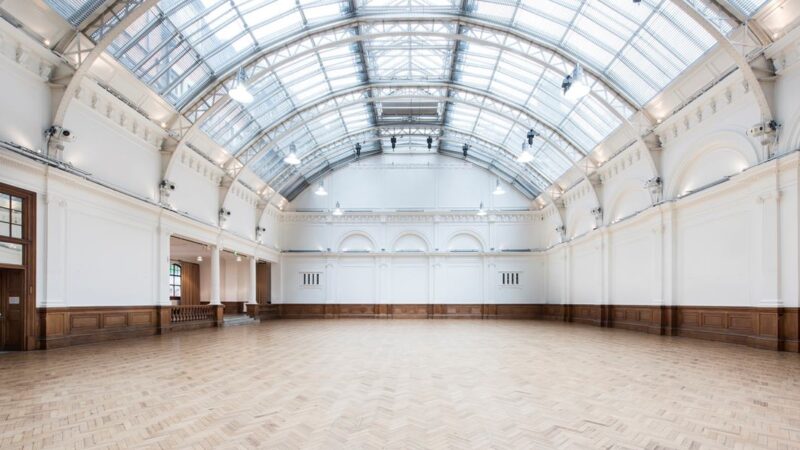
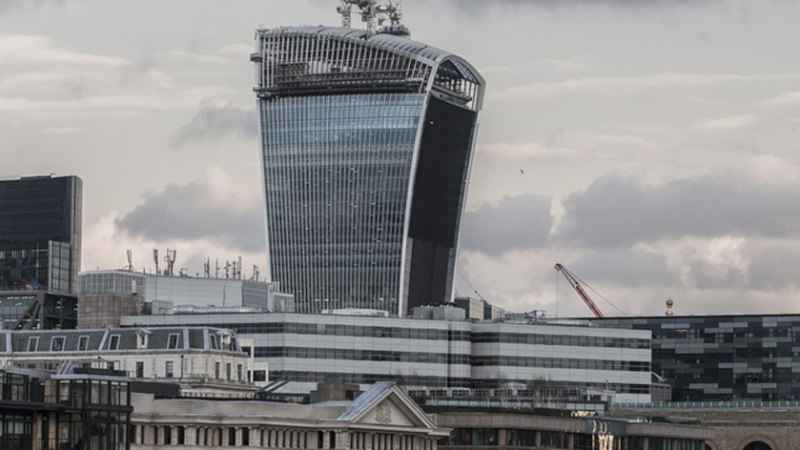
London is one of the most exciting cities in the UK. Here are the top 10 filming locations in London. And as a London video production company we are always seeking out new and unknown locations. It offers a unique mixture of historic venues and modern, even futuristic locations that can serve a wide range of filmmakers needs. Recently the Mayor of London Sadiq Khan has laid out a plan to make it the world’s most film-friendly city. Some of its breathtaking locations may serve as a source of inspiration for your corporate video production or your next experimental art film. London’s Bridges There are over thirty bridges in London, some of them are centuries old, and each of them provides stunning scenery that will make your footage look extraordinary. Whether you are looking for a historic monument that brings back the past or a piece of modern and futuristic architecture, you can hardly make a mistake by choosing to film on one of the city’s bridges. Getting the permits to shoot on the bridges is relatively easy and affordable. Art Galleries and Museums, Tate Modern London is one of the most important cultural centers in the world, hence there are thousands of cultural venues around the city. A gallery or a museum can be an excellent choice for a location if it fits the scene you are planning to shoot. Many successful filmmakers have used venues such as Tate Modern to make some of the most memorable film footage in the history of cinema. These spaces can also be used for commercials or any other video production. Royal Horticultural Halls, Lindley Hall A historic venue that is just over a century old, offers a unique space for video and film professionals from all around the world. In the last several decades, this location has hosted some of the most prestigious events in the business world including the Volkswagen launch event. Robbie Williams’ ‘Old before I die’ music video was filmed at this location, as well as the advertisement for the Audi Q5. The permit for shooting at the Royal Horticultural Halls is relatively easy to obtain, but it may come with a significant fee. Piccadilly Circus   An iconic location in the heart of London is featured in countless movies, videos, and commercials. It is a perfect place to film, because of its cosmopolitan atmosphere and beautiful architecture. However, because of the busy traffic and a lot of tourists, organizing a set on this location may be challenging. In order to get all the necessary documentation, you need to get in touch with The Special Events & Filming Team in Westminster. You can find the application form at this link. The Royal Parks London is famous for its amazing parks. The Royal Parks include Hyde Park, St. James’s Park, The Regent’s Park to name just a few. There are more than ten Royal parks in London and the permissions for each of them are easily obtainable. The fees depend on the size of the production, the size of the crew, the amount of time required and the level of disruption of the public life and wildlife. You can see the guidelines for film and photo sets here. The Historic Royal Palaces These venues need no special introduction, structures located in The Royal Historic Palaces have stood for centuries as pillars of the Western civilization. Over the years the Tower of London opened its doors to some of the biggest productions of our time, such as Mission Impossible: The Rogue Nation, Doctor Who, Great British Castles: The Tower of London. In addition, all other facilities of the complex, frequently collaborate with film and video productions. You can find all the necessary details for organizing a set in the Royal Historic Palaces here. Alexandra Palace Located in the north part of London, Alexandra Palace is one the largest open spaces in that part of the city with almost 200 acres of parkland that is available to film and video professionals. This is the very site from which the first regular television transmission in history was made. Some of its most exciting facilities for filmmakers include a Great Hall that has 6.400m², The West Hall, Palm Court and a unique Victorian Theater. Clint Eastwood shot parts of his well-known film ‘Hereafter’ at The Alexandra Palace, while countless other movies, music videos, and ads have been staged and filmed at this location. For more details about permits and regulations follow this link. Borough Market One of our favorite locations and not too far from our London production company office is Borough Market. Perfect for the outdoor scenes that need to have a feel of a busy day, Borough Market is one of London’s premier locations for filming. It offers a nice backdrop of market stalls with a premium and contemporary feel that add to the authenticity of the footage you are producing. This location is well-known among the filmmakers since such blockbusters as Harry Potter and the Prisoner of Azkaban, The Diary of Bridget Jones or Lock, Stock and Two Smoking Barrels have all been filmed here. As a matter of fact, this is the place Bridget Jones calls her home in the movies. You can find additional information about shooting here at this link. Notting Hill The entire Notting Hill area is an extraordinary place to create your films or videos. It grew in popularity after the famous film that carried its name, but this area of London hosts many colorful and lively locations that might be a perfect fit for your production. The Portobello Road or the Portobello Market are just a couple of attractive destinations that are fun to work at and provide a perfect scenery for interesting commercials, music videos or any other sort of video production. If you are looking for an interior location that can offer an authentic historic look Notting Hill area might just be the place you are looking for. You need to get in touch with

Read More

From The Blog

DSLR and Vintage Leica Lenses


No Comments

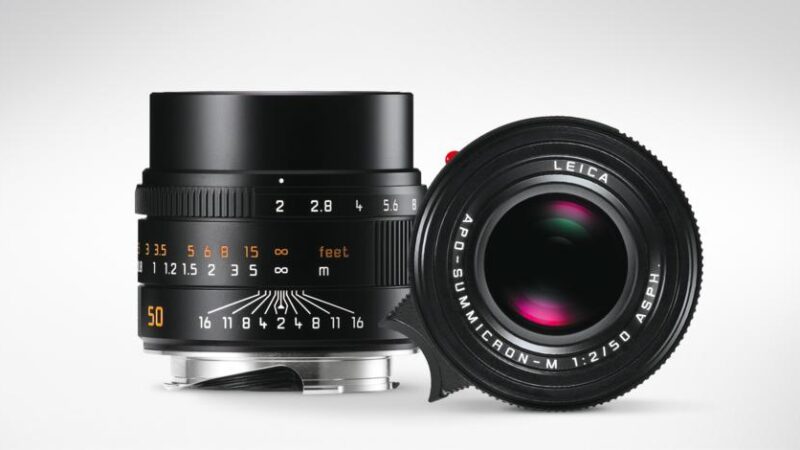
DSLR and Vintage Leica Lenses – With the tide of Full Frame DSLR cameras, there are all sorts of possibilities with using vintage lenses, we chose the Leica Summicrom R F2. Vintage lenses can be used on anything from Black Magic Pocket camera to Panasonic GH4 and Sony Full Frame a7 and so on. Lets start of with the Konica hexanon 40mm F1.8, bought for only 10$. Like many of the vintage lenses it’s pretty small which makes it perfect for the dslr camera body. It has a good build quality and on APSC size sensors like for example the Nex 5 or the A6000, the focal length is great. The only fall back is that all the rated better than Minolta lenses, the sharpness doesn’t appear to be great, DSLR and Vintage Leica Lenses – One of the great things about the A7II is that you can attach just about any lens ever made. The reason for this is that it has the Full Frame sensor but also because it has a really short lens mount to sensor distance. So this allows for manufacturers to create adapters for lenses and still keeps the lens close enough to the sensor. You can mount just about any lens with any fitting from Screw fitting to bayonet, Hasselblad to Pentax. We have recently tested a number or Leica R and M mount Summicron, Elmarit and Summilux. Of course the lenses themselves are completely manual so the adapters are simply connecting the lens without any kind of transfer of digital data. However, we did find that with the M mount lenses it was worth paying a little extra for the Voigtlander close focus adapter. It does what it says on the tin and allows you to bring the subject closer to camera and into razor sharp focus. So what is the difference between the R and the M mount? Well for the A7II sensor the R mount is by far the better choice. This is because the glass at the back of the M mount is much closer to the sensor and this can cause the angle of the light that hits the sensor to be at too acute of an angle. The other advantage of the R-lenses is that they are quite a lot bigger than the M- lenses. This means that they are more suited to motion video and you can easily mount a follow focus system. So why shoot Leica in the first place? Well its pretty well accepted that Leica lenses are some of the best lenses ever made. You will not find a bad Leica Lens. So the Summicron R range at F2 are a perfect solution if you want high end looking video for a reasonable budget. When you are using a lens that is completely manual and doesn’t therefore speak to the camera you need to set the focal length in the camera so that the stabilization works correctly. The 50mm Summicron is incredibly sharp but what is special about the Leica is that vintage look. You can get that soft creamy look to the soft focus parts of the image, and the parts that are in focus are sensationally sharp and detailed. At wide open the depth of field is extremely shallow and this creates a really dreamy look which is typically Leica.  

Read More

From The Blog

Rogue One: A Star Wars Review


No Comments

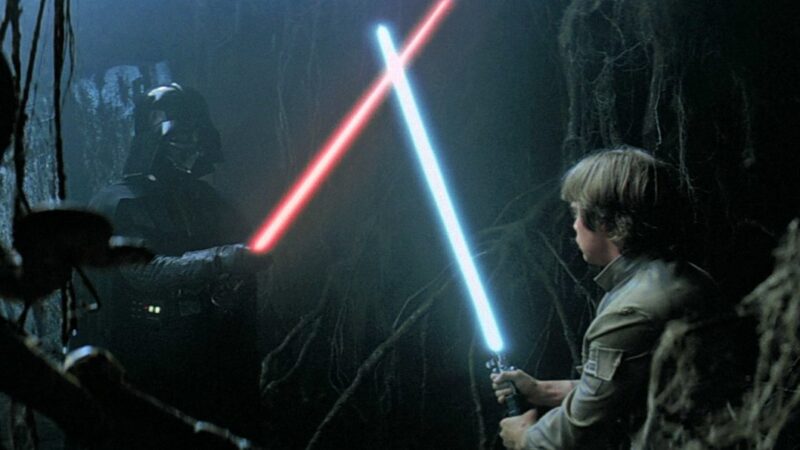
Rogue One – “Let go your conscious self and act on instinct,” says Obi-Wan in Star Wars: A New Hope. Perhaps that’s what the writers should have done when they sat down to craft this latest chapter in the franchise, because Rogue One is definitely not  ‘A Star Wars Story’. No Jedi, No force, No larger than life characters and certainly No enduring heroes….which may explain why the powers that be felt they should kill them all off in the end and leave us with an overwhelming feeling of emptiness. Rogue One tells the story that leads us up to the opening scene of ‘A New Hope’, where Princess Leia gives the plans for the death star to R2 and sends him on with his mission. But is one throw away line from the original film, “A lot of people died getting us these plans”, really enough for the basis of this whole prequel and does it justify killing the entire cast in what used to be family entertainment? The main theme and core to the Star Wars legacy is The Force and the Jedi that practice it. That’s what Star Wars is all about and that’s what gives it the magic and the hope. Take that away and what’s left? A WAR MOVIE. And so with Rogue One what we have is a movie chock full of senseless killing that is really no longer suitable for family consumption. So since they’ve literally changed the genre, who is the target audience supposed to be?  I found it very sad and ultimately distasteful to see a World War 2 tank and storm troopers walking through a village like Nazis. It just felt all wrong. The same goes with the beach slaughter at the end – it felt like I was watching the bombing of Omaha. And for what? So that the bumbling rebels could break into a perfectly situated data tower, resembling the Death Star on the inside, and plug in a usb to get the files. Wouldn’t they just hack it and avoid all this song and dance? There’s also no real baddy, just pencil pushers and CGI tests. Why would you use some weak CGI of Grand Moff Tarkin rather than using the greatest cinematic baddy of all time – Darth Vader. If i’m going to see a Star Wars movie with Darth Vader then he should be in it. I don’t want to wait to just before the credits roll to see him pull his lightsaber out. Darth Vader is in the movie for about 4 minutes. Here Gareth Edwards has the opportunity to show Vader, but he doesn’t…WHY? I didn’t like ‘A force Awakens’, but when I watched that movie I expected to see Luke being Obi-Wan, that didn’t happen and we only saw him right at the end. But that was ok because there were enough other great characters to keep me invested. Kylo Ren, before he took his mask off…was a great character. In Rogue one there are no larger than life characters. Partly because there are no jedi and partly because they just haven’t been written. This story is all about the rebels. But how many of these rebels had the charm, wit and skill of a Han Solo? But then as I mentioned at the start of this article, if they had managed to create characters worth surviving for another installment would they then have chosen not to annihilate the entire cast in the end? So what about the CGI? There’s just one question you have to ask to know if the CGI is good or bad. And that is, ‘Does it look real?’. No it didn’t, Grand Moff Tarkin looked like a computer game character. And the same for poor bloated over lit Leia in the end. Why have so many scenes with Gran Moff Tarkin? Why not use Vader for some of those Moff scenes in order to see the best baddy of all time and be able to put more resources into fewer shots off Moff? And why do it all in CGI, wouldn’t it be better to match angles and lighting plans up to the original footage and take those textures from the original Star Wars to make something that is actually perfect and seemingly flawless? Or better still, a real actor that would relish the role. My biggest issue with Rogue One is that nothing surprised me. Where’s the twist? At least in ‘A Force Awakens’ we thought that maybe Kylo Ren would have been Luke. Too much? Given that Darth is Luke’s father and Leia his sister, of course it’s not – I would have loved to see Luke become Kaylo Ren…Of course he should still have his mask on right now as I write this and that’s what i’m talking about, the suspension of disbelief and then the big surprise. This is the Star Wars formula. The question is, is it now totally forgotten and lost forever? As fans we expect so much from a Star Wars movie because we are so connected to the themes and the characters on an emotional level and in an incredibly positive way. So whilst we have to be open to new ideas and approaches and not just re-hash old story lines, there’s still one key aspect that has to be preserved. The thing that makes me wants to watch a Star Wars movie over and over again…The Characters. But the characters in Rogue One let me down. There was no urgency or intensity, no real character arc or magic. It’s not the battles that keep us coming back, it’s the characters. Lets hope that since the slate has been wiped clean, they can come back next time around with something that does hold true to the themes we love and expect.

Read More

From The Blog

Top Tips For Basic Colour Correction


No Comments

Top Tips For Basic Colour Correction – Colour grading is the final step in the post-production service, which gives your video the sparkle and personality that depicts the image of your brand. But Colour grading and Colour correction, whilst essentially using the same tools, have two clearly different goals. Colour grading refers to the creative choice a colourist makes to stylize a film. Whilst correction is just that, its is a correction for video of the white balance, exposure, colour temperature or its to match footage from different cameras that have slightly different colour renditions. Unifying shots output from different cameras is an important on any project. Know your tools There are many tools a colourist must use to not only make changes but to monitor that changes are accurate. Using Da Vinci resolve you just need a powerful computer to run the free software but what is often overlooked is n accurate monitor. Most programs and even non-linear editors have built in analysis tools, histograms, and wave for monitors, vector scopes. Getting dedicated hardware versions of these tools is also an option, and great fun to play with. Having a tactile interaction with the module gives a while new dimension to the process. Not only are these tools essential to colour correction but they are also the most common tools to broadcast production. When you first get started with your grade its easy to exaggerate and push the image too far. If your film is going to have a look, ask yourself why. Why do you want to increase the contrast or decrease the saturation? Are you doing it because it is complementing the creative themes of your video or are you simply doing it because you can? A popular look in blockbuster films is the orange and teal palate. Which uses the basic idea of complimentary colours to push skin tones into orange and shadows into teal. So whilst it may be very tempting to grade this way, it may not suit the video content at all. Colour grading is a very subjective art form that relies on intrinsic control of the grading suite. If you double as a dit on set you should be fully involved with the camera department to make sure your exposure is consistent. Colour correction has come a long way but once the details are gone they are gone. There are three key technical terms to be aware of. Log, Raw and Rec.709. Log is normal recorded video with a flatter colour profile. Essentially, the entire dynamic range of the camera is squeezed into the limited space available to the video format requiring manual colour correction or what’s known as a LUT to expand it back out to a normal range. The advantage of this is that you get to bring down highlights increase shadows and manipulate much more of the tonal detail. However you are still limited by the fact that the video has been recorded in a standard video format. That brings us to RAW. RAW is the actual light data as captured by the cameras sensor before being converted to a video format. What this means is that ISO can be adjusted after capture and you have more control over highlights, midtones and shadows because its literally RAW data. But these two formats usually get reduced to one common format – Rec.709. This is the standard colour space that most HD video that is recorded and displayed by.

Read More

From The Blog

How to Film with a Drone -10 Tips


No Comments

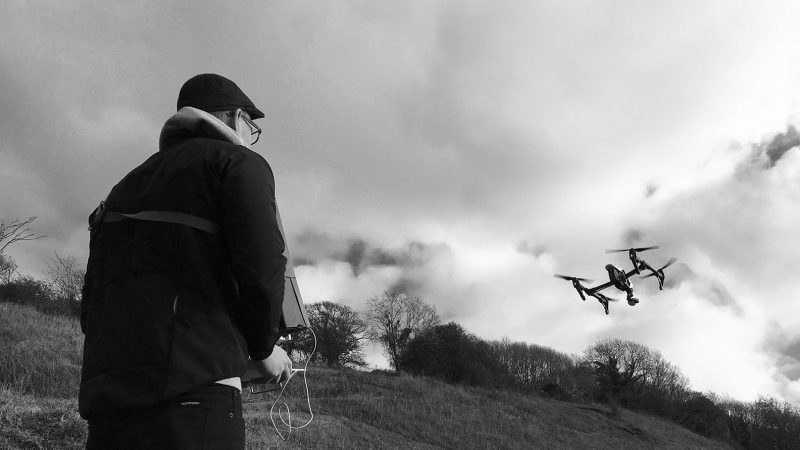
How to Film with a Drone – Aerial filming and cinematic drone shots can bring a huge amount of production value to your video content. Here are some tips for anyone thinking about flying a drone. It’s much easier to fly drones in open spaces. That sounds obvious but it’s an important point. You could be tempted to fly a drone over water but what happens when you need to bring the drone back? If trees surround you and there isn’t a wide enough clearing it can become a serious issue…especially when the battery warning light starts to flash and the stakes are raised! Lighting. The camera can’t handle great areas of contrast. So if you have the sun in shot and a dark hillside, the shot will be worthless since you wont be able to get a good exposure for both parts of the frame. On the flipside be careful not to have the sun directly behind you since you will risk bringing the shadow of the drone into your shot. So make sure you check the sun path when you are location scouting and choose your location based on the position of the sun for the shot you want to get. Of course if you wait until the sun is very low in the sky then you’ll be able to get a balanced exposure and achieve that magic hour moment. Battery. The battery only lasts for around 20 minutes flight time. So its best to plan out your shot and check the first take. Then you can get up again and make multiple takes. Remember too that the battery will run out long before a 16GB memory card so you might as well record the whole flight time as you never know what part of the shot may be used in the final edit. Sometimes the best shots happen accidently and before or after we call ‘action’. Check the rules for drone flying use. If you are making money from the shots you’ll need a license. For anything else you can generally fly wherever you want except for airports. Search for drone regulations UK. Settings. Here are the settings that we like to use on the DJI Phantom Pro 4 Getting a good shot. The typical shot is to fly up high and get a moving landscape type shot. But why not try some different cinematic approaches: Bird’s eye view or top shot – this is a very cinematic choice and typified by the Cohen Brothers movies. Tracking shot, Why not use the longer lens option and get in close to your subject for really easy to set up and impressive dolly or driving type shots Crane shot – as the car pulls away the camera jibs up vertically. Again, to do this with a crane costs a fortune so to grab this with the drone adds huge production value and is again a very cinematic stylistic choice. Why use the drone? Because not most of us can not fly! So what the drone presents us with is the option of having another point of view and a new perspective on familiar subject matter. Movement. One often-overlooked style choice with the drone is the simple fact that the camera does not need to move. You can have a perfectly locked off top shot 100ft up in the sky. And sometimes less really is more. Sometimes having a locked off shot allows you to appreciate the movement within the frame itself and this can carry great emotive and storytelling significance. Look to movies to understand when and where the drone shot can be used. If the wider location is important to the scene, for example the hero is alone in an empty wilderness, then getting up high would be the best way of showing that. Or we use it to introduce our setting for the simple reason that we can see more if we go up. One of the basic principles of cinema is to follow the character, so in movies if the subject is flying then you need to fly with him. Or it can be used to link scenes together or to show of the scale of a given set or situation. Overkill. Use the drone to supplement your story and make sure the shots are purposeful and not just for the sake of it. We can look at many movies to see how the drone shot can be used as a story telling tool. The drone is a specific tool that can allow us to improve our films if we use it at the right time and in the right way.

Read More

From The Blog

Panasonic GH4 versus the Sony A7SII


No Comments

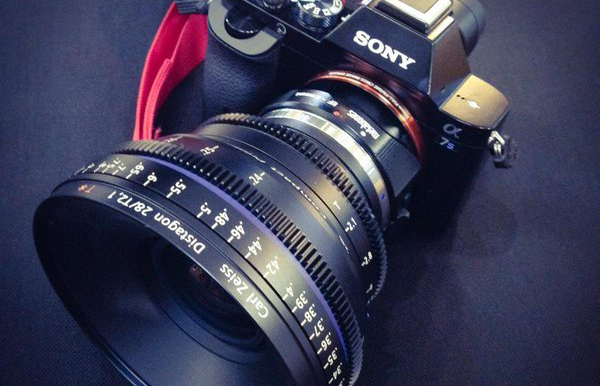
Panasonic GH4 versus the Sony A7SII Here’s our Sony A7SII review. We used to use the Panasonic GH4 for our smaller budget shoots but have recently moved over to the Sony A7SII. The S stands for sensitivity and with an ISO base of 3200 you can be sure that it’s low light capability is absolutely incredible. So when would we use the GH4 over the Sony? Well let’s see, colour profile – SONY, Low light – SONY, dynamic range – SONY, auto focus – SONY, full frame sensor – SONY, frame rate – SONY. So what about the Sony A7SII review? Well the build is great; it’s really compact and fits right in your hand. Try picking up the old 5D III and its like holding a brick by comparison. The Sony is lightweight and just a fantastic size. It’s easy to transport and completely versatile. We love the full frame sensor because the photographic lenses available are now native to its size. So with the Sony when you put on a 16mm wide angle you get an image, which is true to its size. No cropping and no vignetting. We use the metabones e-mount to canon mount so that we can use the full range of canon photo lenses. The metabones seems to be the best available on the market which is fast and smooth. We use the wooden camera E-mount to PL mount adapter. That’s working perfectly and allows you to mount some incredible glass in front of this little camera. We recently shot with the Cooke Pancro range and got some incredible results, a really creamy looking vintage feel and spectacular flares. Now if you are going to use the autofocus or especially the great face detection feature then you’ll need the Sony lenses that are native to this camera. We have never been able to use the autofocus on other similar cameras so this is a welcome advance in the area. And lets just say that for long tracking interview shots using the Ronan-M, it’s the perfect solution. No need for a focus puller anymore. Another great feature is the 5-axis image stabilization. If you are on the fly but don’t have your steadycam or even your shoulder rig, this feature can provide incredible results. With a small camera like this you can often have a jittery effect when filimg handheld, since it’s so lightweight, but this system really helps to smooth it all out. You could use a 50mm lens and do a walk around a subject and the results can be very close to a dolly shot. If we were doing the same kind of shot with the GH4 we couldn’t even attempt it. So the Sony 5 axis image stabilization is really worth playing around with to see just how far you can push it. It’s ideal for music video shooting. Of course one of the most important features is the 4k resolution. And if you think that with an Alexxa Mini you only get 3.2k it really is incredible. Say you want to punch in and do digital zooms with the 4k base you have a lot of flexibility. And if you want to go slow motion you can shoot 1080p at 100 frames per second. The only draw back is the sensor resize and the image is cropped in. So you have to compensate by shooting wider lenses. But that’s a small price to pay for the kind of images you can shoot on a budget and also with a camera of this size. But the greatest aspect that this camera offers is its incredible low light capabilities. We heard a lot about it, but until you get stuck in you cant quite believe how good it is. So if you are into practical light photography and also love a clean image without noise and grain then this is the camera for you. It’s a beast. So what about the s-log profiles? Well here’s where you get into the details and with Sony S-log you get to keep them all, no clipping and no burnt highlights if you expose properly. It really does start to feel like a professional proposition at this point. Here’s a watch out though – Sony says that when shooting S-log you should over expose. That’s a tough pill to swallow but if you want to avoid any muddiness in the image this is the route to go. Of course it’s something you have to play with, then you’ll soon get the hang of the camera and all of it’s nuances.

Read More

From The Blog

3 Reasons Why Having An Autoplaying Video Is Killing Your Conversion Rate


No Comments

We love videos, you love videos and everyone else loves videos so surely you can’t go wrong… WRONG! Autoplaying videos on landing pages has become more and more popular over the last year or two it seems. It probably looked like a cool and innovative idea however, how cool is it really? Just because you think it’s cool doesn’t necessarily mean your visitors will think it’s cool. Enough with the “cool” now! These autoplaying videos that you believe are helping you stand out from the crowd could be killing your conversion rate and helping you stand out for all the wrong reasons. Here is why: 1. Simple… People Don’t Want It The very simple answer is that people don’t want it and we have proof of this. After searching the keyword “autoplaying video” on Moz’s Keyword Explorer tool, the list of keyword suggestions literally made us laugh out loud. As you can see, all the keyword suggestions have the word “stop” in them. Need further proof? After searching on Google with the same keyword as before, the following results returned under related searches. Still not convinced? A quick Twitter search of the same keyword resulted in several negative tweets about autoplaying videos. I can’t seem to click on a @CNN article without an ad video autoplaying, so, yeah, I’m done clicking on CNN articles. #uxdesign — Ken Mansour (@KenMansour) November 15, 2016 This Chrome extension is a life-saver. Stops ALL autoplaying video content. Hallelujah!https://t.co/X1q81HeGaV — Madhu Menon (@madmanweb) November 13, 2016 If your website has autoplaying audio or video you deserve to be stabbed in the eyes with a rusty spork. — Carl Draper (@explodingwalrus) November 11, 2016 If that last tweet doesn’t worry you… I don’t know what will! 2.    It Slows Down Loading Time Another reason why autoplaying videos aren’t a good idea is because they can slow down the loading time of landing pages. Now I do have to admit that this isn’t the case with all autoplaying videos, as it depends how they are embedded. However, if yours has slowed down your page speed, I would advise to remove the autoplay and split test the conversion rate. Not only does Google not like slow loading pages but users hate them too. Unless you are offering something that is simply irresistible, people are not going to hang around and wait. They will bounce from your landing page and straight onto a competitor’s site. Can you call that a good user experience? 3.    It Detracts From The True CTA Your landing page serves a purpose and that is to convert the users that have landed there. We encourage businesses to use videos on their landing pages to help in this process. If the user still isn’t convinced by the text, can’t be bothered to read the text on the landing page or wants to watch a demo of the product, a video is a good way to further entice them to convert. An autoplaying video however adds another, and unnecessary, step in the conversion path because you are encouraging the user to watch the video first before they have seen the offer and CTA. If the user has landed on the page and is greeted with an autoplaying video, they may not even notice the most important part of your landing page…. The CTA. Conversion funnels are best kept simple with as little steps as possible. Adding another unnecessary step into the funnel will only delay conversions and possibly even stop them. Conclusion Video marketing is absolutely key in today’s marketing. In fact adding a video to your landing page can increase your conversion rate by 80%, as found by HubSpot. The key point that I am making today is the difference between a landing page video that helps improve the user experience and an autoplaying video that is invasive and removes all choice from the user. What do you think about autoplaying videos? Do you agree they are bad for user experience or do you believe they truly do help improve the experience?

Read More